For iPhone & Apple Watch · Health & Fitness
RLSAND FITNESS
Track every set, rep, and mile. Strength and cardio in one private workout log — with your week at a glance, progress graphs, Apple Health, a companion Apple Watch app, and now voice on iOS 27: say "150 for 10" and keep lifting.
A look inside
Your week, your workout, your progress.
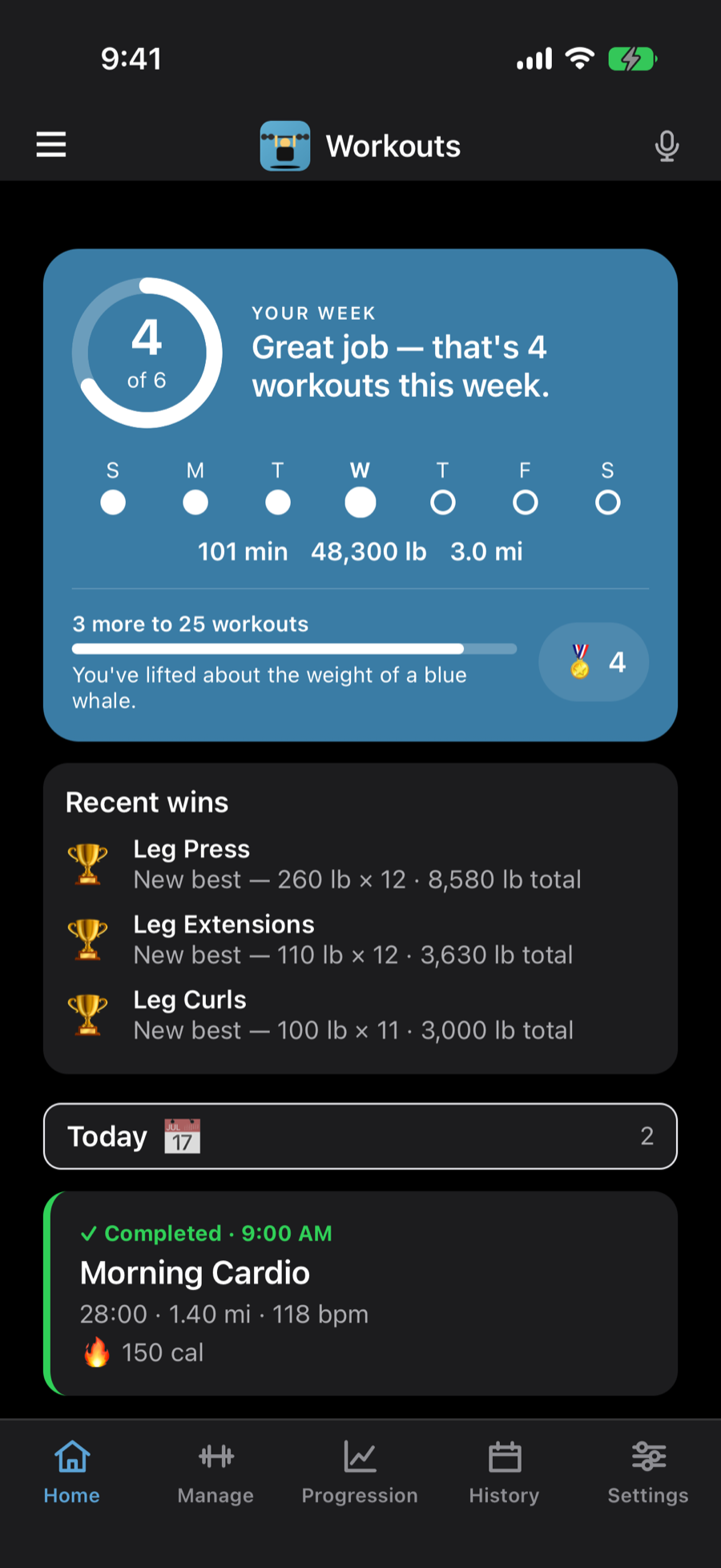
Open the app to see how your week is going, start today's workout with last time's weights already filled in, and watch every exercise climb over time.
-
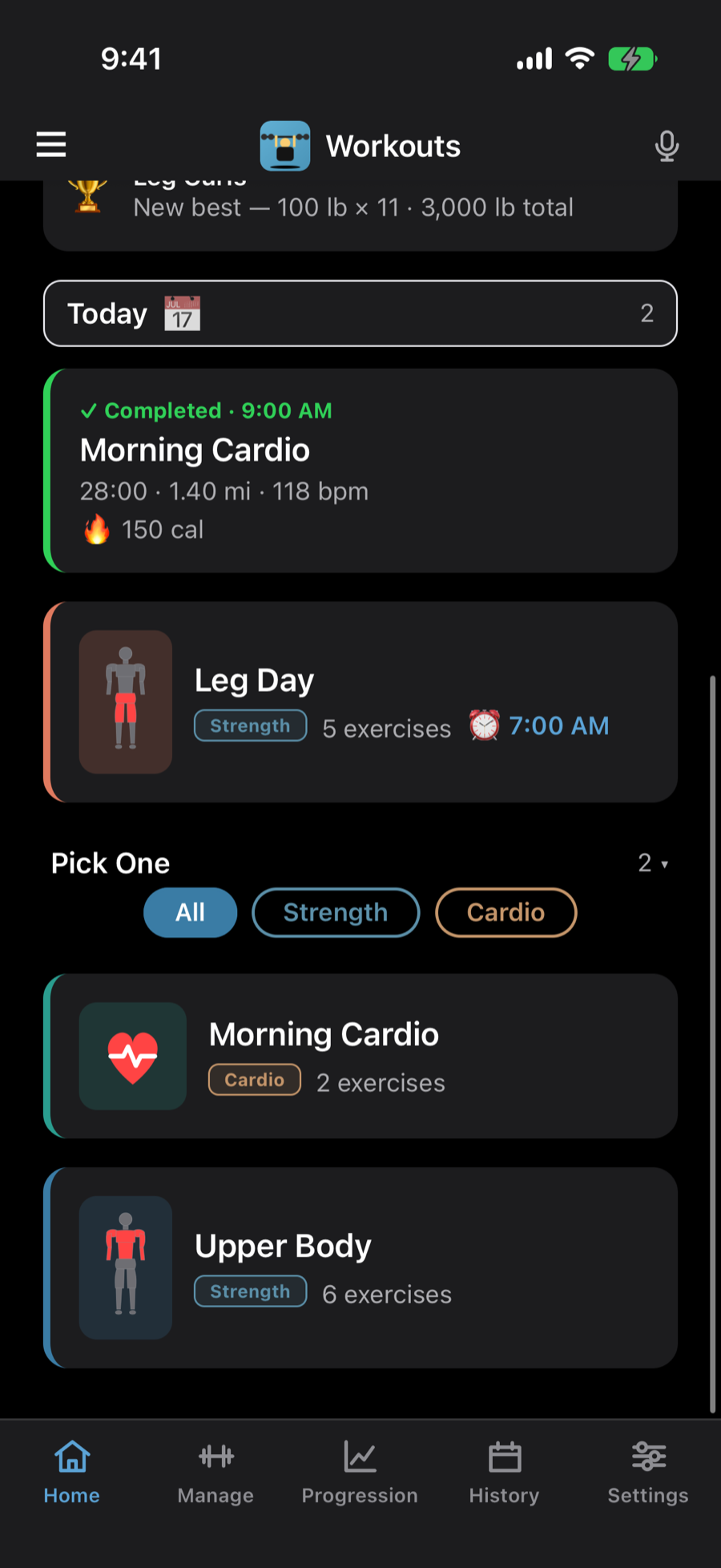
Today’s plan, and what you’ve done.
-
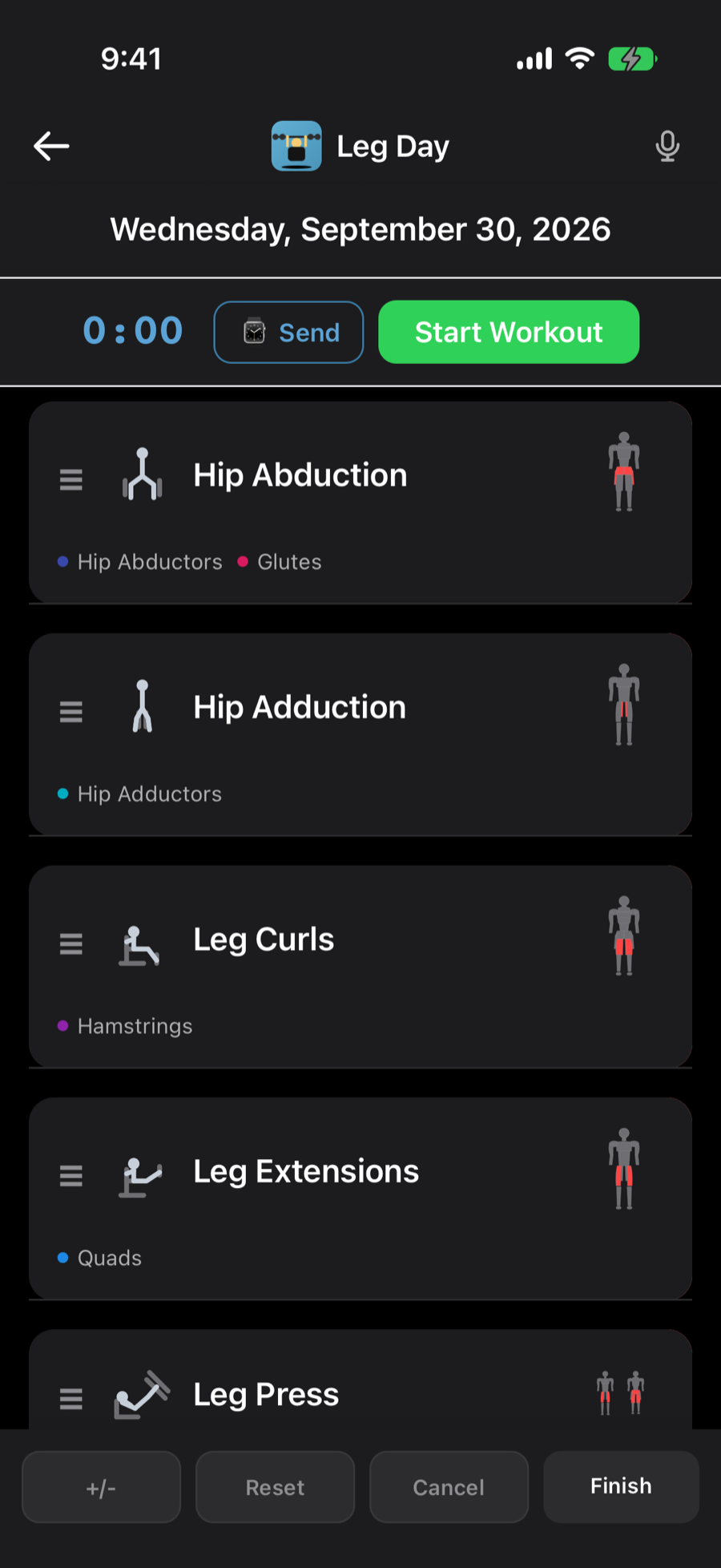
Start it here, or send it to your watch.
-
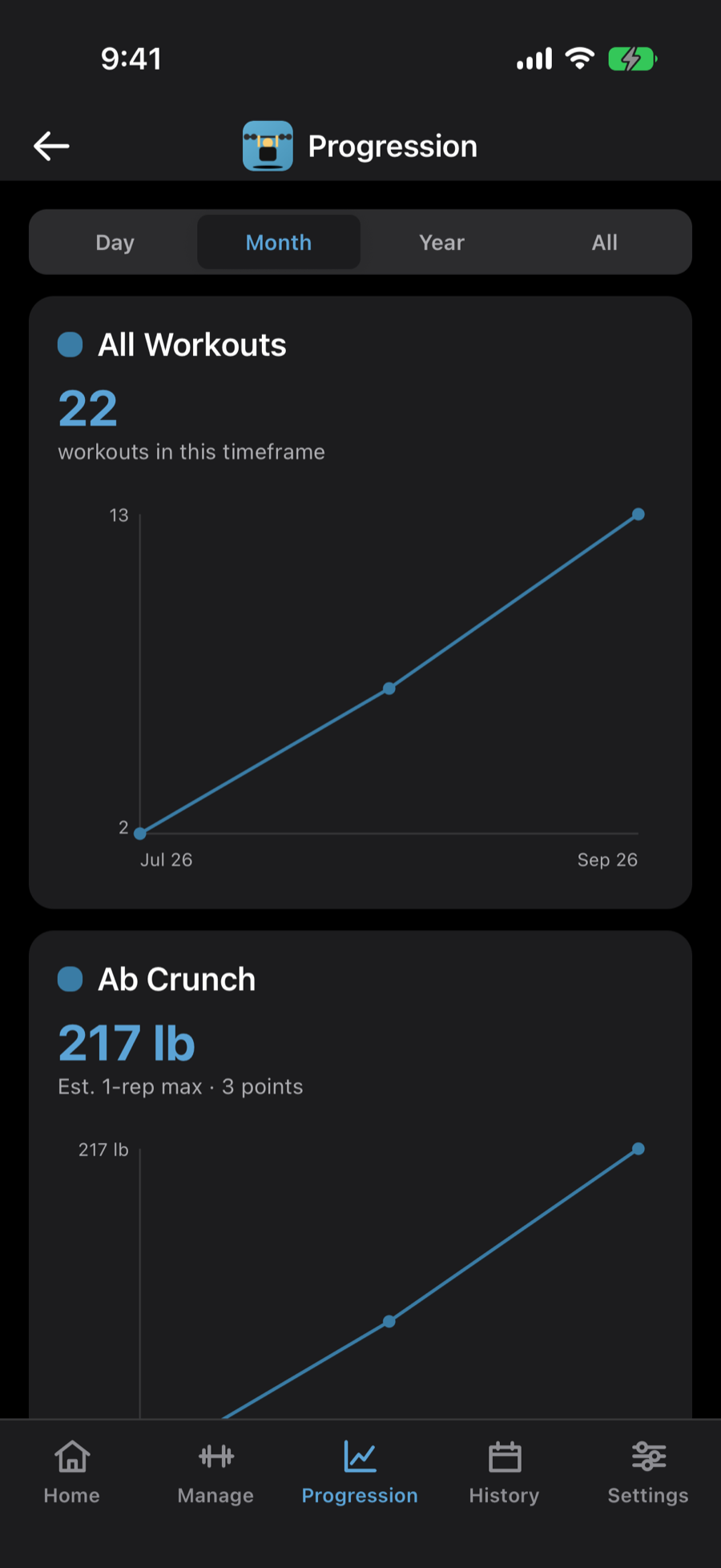
Watch each exercise climb.
-
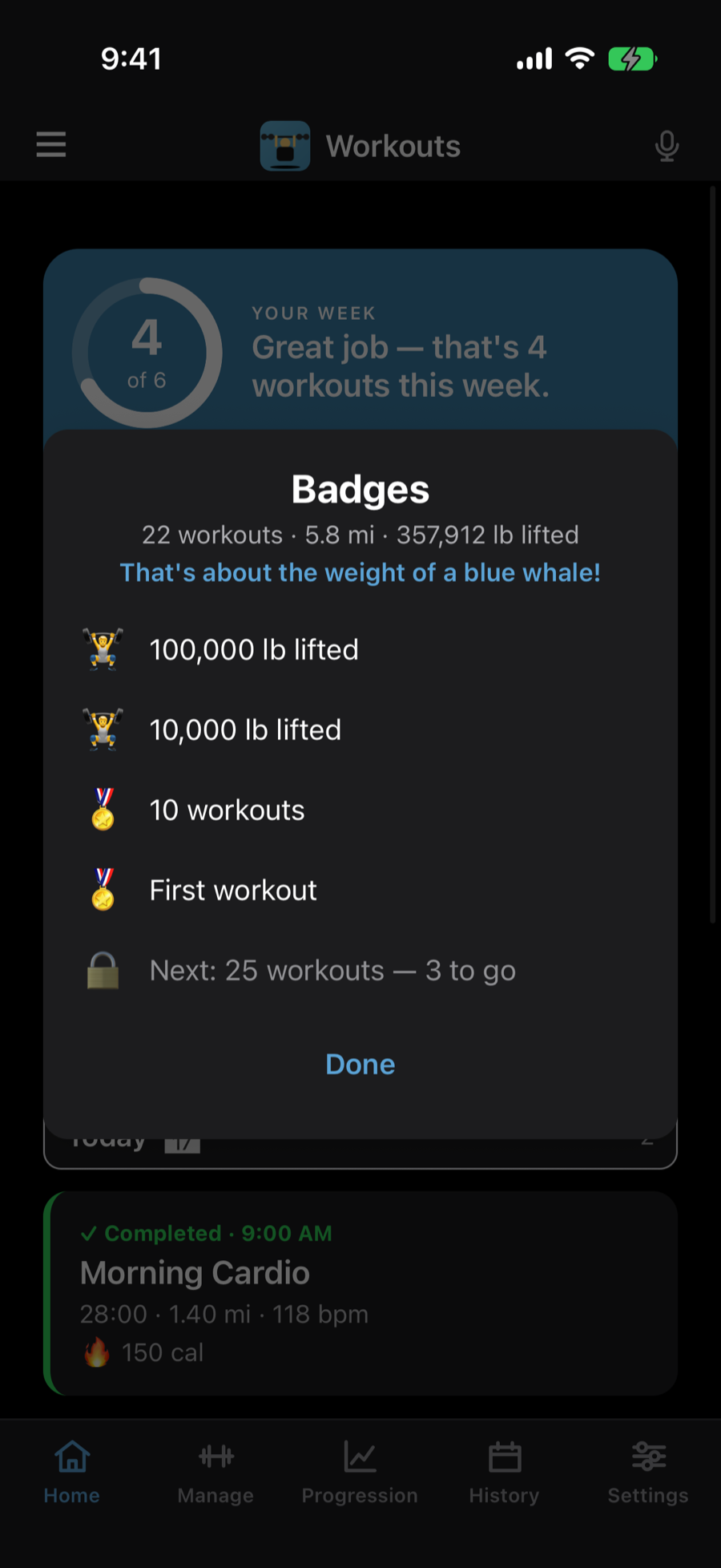
Badges that keep you coming back.
Features
One log for every kind of training.
Lifting and cardio work differently — so each gets the right controls. Weights and reps for the rack, a live timer with distance and heart rate for the treadmill or the trail. Log it on your iPhone or run the whole session from your Apple Watch — it all lands in one workout, saved automatically.
Strength, set by set
Log weight and reps for each set, 1 to 3 sets per exercise. The app remembers the weight you used last time and pre-loads it, so a new workout starts where the last one left off. Adjust in +/- 5 lb steps.
Cardio on a live timer
Treadmill, indoor or outdoor bike, running, walking — each runs on a start / pause / finish timer that captures duration, distance, and calories. Switch activities mid-workout without starting over, or add your own timed activity — a pickleball match, say — as a custom cardio exercise.
Run it from your wrist
A companion Apple Watch app runs the whole workout with your phone left behind. Guided strength walks you set by set — turn the Digital Crown to set the weight, tap to log reps — while cardio streams live heart rate, distance, and calories. Everything logs on the watch, offline, and syncs back to your iPhone the moment you're in range.
Custom workouts
Build your own routines from any mix of strength and cardio — the app tags each one Strength, Cardio, or Hybrid. Give each a color so it's easy to spot, save it, and reuse it. Add or remove exercises on the fly with "Manage Exercises."
Just say it
On iOS 27, tap the mic mid-workout and say “150 for 10”, “same again”, “up 5” or “next exercise” — no typing with chalky hands. Or ask Siri: say “R L Sand Fitness” and it offers your next step — start today’s workout, log a set, or change the weight. With Apple Intelligence you can also ask questions about your own training.
Your week at a glance
A weekly goal ring, a streak that counts weeks (rest days never break it), new personal bests — heaviest set or most total weight moved — and badges for the milestones. It’s the first thing you see, and it’s a reason to come back.
Progress you can see
A line graph per exercise plots strength volume — weight times reps — over time, so progressive overload is obvious at a glance. Cardio exercises chart distance, pace, and heart rate instead. Full workout history is one tap away.
Apple Health, optional
Grant access and completed workouts — strength and cardio alike — write to Apple Health with the right activity type, while heart rate, distance, and active energy read in from your Apple Watch. It's entirely optional — decline it and the app works exactly the same. Health data stays on your device.
Backup & export
Export your entire history to CSV or JSON (or a PDF of your plan) and save or send it anywhere from the share sheet — Files, Mail, AirDrop. Import is smart — it merges rather than replaces, and re-creates any missing exercises from the file. Switch devices without losing a workout.
Private & offline-first
No account, no login, no internet required. Your workouts live in local storage on your device. Optional, anonymous usage analytics help us improve the app — and you can turn them off in Settings.
Local AI
Smart about your training. Private by design.
The AI in RLSAND FITNESS runs on your iPhone. There’s no RLSAND server and no third-party AI service in the loop — your workouts never leave your device for us to read.
- Your voice stays on your iPhone. “150 for 10” is turned into text by on-device speech recognition. If that isn’t available, voice simply doesn’t run — audio is never sent anywhere.
- Ask about your own training. “Am I getting stronger on legs?” “Which exercise has stalled?” Apple Intelligence answers on your iPhone, using your workout history.
- Only your numbers. Every number in an answer is checked against your own log. If the AI says a number you didn’t lift, the app shows the plain facts instead.
- You choose where answers are made. A question too big for the iPhone can go to Apple’s Private Cloud Compute, which doesn’t keep it. Pick “On iPhone” and every question stays on your device.
Ask needs iOS 27 and an iPhone with Apple Intelligence. Voice commands need iOS 27.
“Am I getting stronger on legs?”
Yes — your Leg Press best is up from 220 to 260 over the last ten weeks, and Leg Extensions are climbing too. Leg Curls have held steady for three sessions.
Answered on this iPhone
Example answer
Pricing
One price. No subscription.
RLSAND FITNESS
$4.99
One-time purchase. No subscription.
- Free to download — look around before you buy
- One-time Full Unlock to create and save your own workouts
- Strength & cardio tracking, on iPhone and Apple Watch
- Apple Watch companion app — guided strength & live cardio, standalone
- Per-exercise progress graphs and full history
- Weekly goal, streaks, personal bests and badges
- Voice commands and Siri shortcuts
- Apple Health read/write (optional)
- CSV and JSON export & import
- Family Sharing supported
Why we built it
A gym log that gets out of the way.
We wanted a workout tracker that opens fast, remembers what we lifted last time, and doesn't nag us to subscribe. Most apps either do one thing — just lifting, or just running — or bury the workout under accounts, feeds, and paywalls. This one keeps a full session — weights, a treadmill mile, even a pickleball match logged as custom cardio — in a single log, and everything stays on your devices.
It's also our calling card. The same team that built it has spent two decades shipping mobile apps and cloud services for paying client engagements — most under NDA, so there are no logos to show. If you like how this one feels, that's how the ones we'd build for you would feel too.
See what we build for clients"It pre-fills last week's weights, so I just tweak the reps and go. I'm in and logging before I've even racked the first set."
— anonymized beta tester
Ready to track your next workout?
Free to try, $4.99 to keep — one-time, no subscription. Questions before you start? The Support page has the answers.